Player form
See win rate, K/D and performance trends from the last 20 matches.
BUILT FOR FACEIT LOBBIES
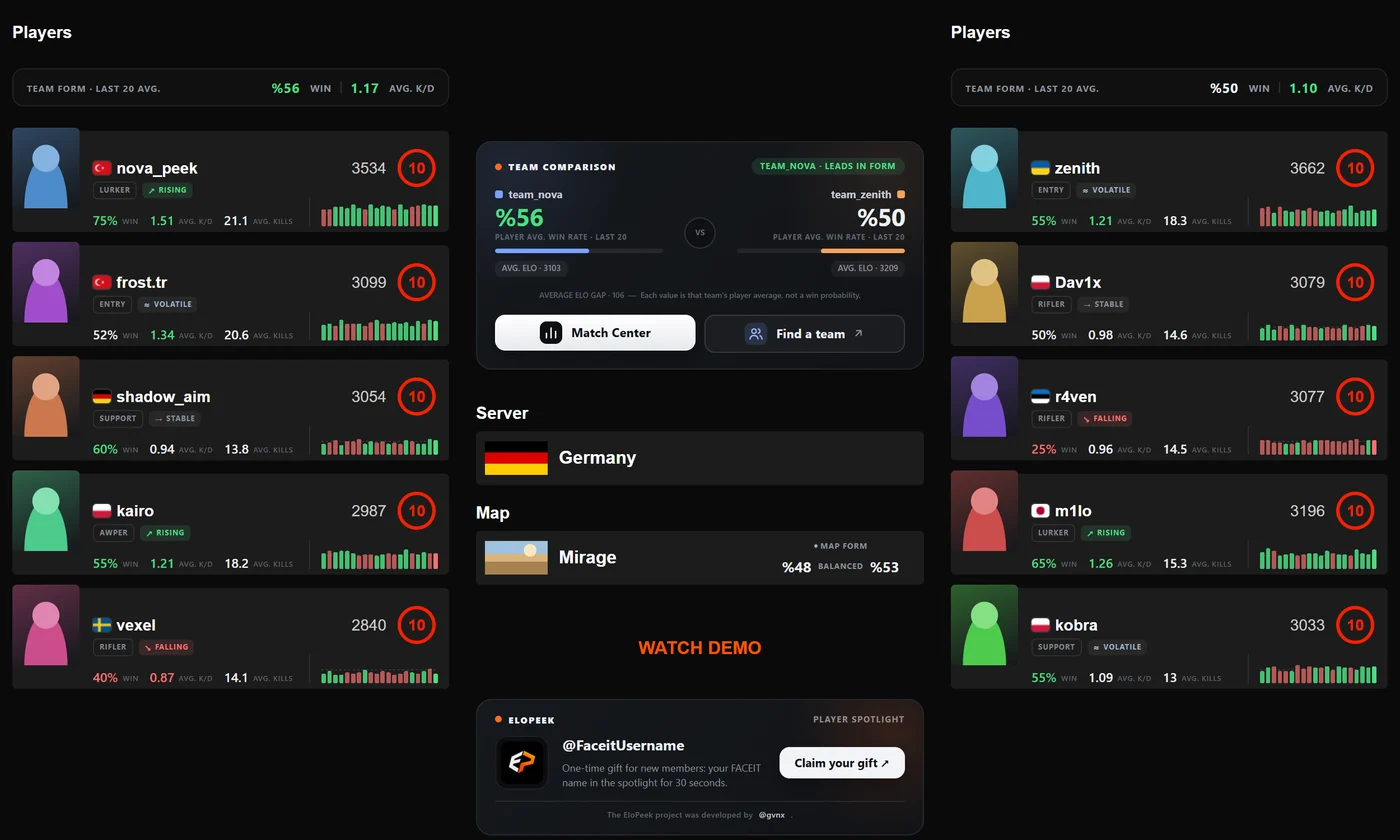
EloPeek brings player form, map performance and team comparisons directly into the FACEIT match lobby.
01 — AT A GLANCE
See win rate, K/D and performance trends from the last 20 matches.
Compare both teams' overall strength from the last 20 matches in one card.
Compare both teams' win rates during map selection.
Accept the match, copy the link and connect to the server faster.
Identify riflers, supports, lurkers and other roles early.
Get clear ban suggestions based on map data.
02 — PLAYER SPOTLIGHT FREE FOR NEW MEMBERS
Your username appears in the EloPeek spotlight when your turn arrives. Your display time starts only when you go live.
03 — READY IN 3 STEPS
Add it from the Chrome Web Store in one click. No account or API key needed.
Queue on FACEIT as usual. EloPeek kicks in automatically when the match room opens.
Make your veto and early-round calls without switching tabs.
04 — QUESTIONS
No. All analysis features of the extension are free. The player spotlight is currently offered to new members as a one-time free gift.
No. EloPeek never asks for login details and does not access your account. It only uses the player names and match ID in the open match room to fetch public statistics.
No. The extension works as soon as you add it to Chrome. If you want to post in the forum, you can create a free community account separately.
No. EloPeek only adds information to the FACEIT web page in your browser. It does not touch the game client, CS2 files or the match itself. EloPeek is not affiliated with FACEIT.
These features are off by default. When enabled, they click the accept button when the match-ready dialog appears, or the connect button when the server is ready.
It works in Chrome. It usually also works in Chromium-based browsers that support Chrome Web Store extensions (e.g. Edge, Brave).
Pick the channel that suits you: Community forum (Support section) · Discord · Support page
05 — BLOG
Want to improve your aim in CS2? Learn crosshair placement, flick shots, spray control and a practical daily…
→ GUIDEHow does FACEIT Elo work?A plain-language guide to how FACEIT Elo is calculated, what the level ranges are and why one win gives you…
→ STRATEGYFACEIT map veto strategyStop guessing your map bans. A step-by-step way to read your team's and your opponents' map stats and make…
→READY TO PLAY?